| # | Problem | Pass Rate (passed user / total user) |
|---|---|---|
| 11267 | Equivalent relation |
|
| 11711 | Dynamic 3D array |
|
| 12094 | Coding in terminal |
|
Description
There are N integer pointers, indexed from 0 to N-1 (N<100). Each pointer initially points to an integer of value 0.
There are two kinds of instructions. The instruction “S n k” is used to set the integer, which pointer n points to, to be k. For example, S 1 10 means that the integer that pointer 1 points to is set to 10. And the instruction “P n m” means that pointer n points to the integer that pointer m points. For example, P 2 1 means that pointer 2 points to the integer that pointer 1 points to. After P 2 1, pointer 2 and pointer 1 point to the same integer, which is pointed by pointer 1.
Note that you don't have to change all the pointers if one pointer changes its target. The following table is an example. The instructions are P 1 2 and then P 2 3. You do not have to change the target of pointer 1.
|
instruction |
Description |
|
P 1 2 |
Pointer 1 points to the integer that pointer 2 points to.
|
|
P 2 3 |
Pointer 2 points to the integer that pointer 3 points to. And you don’t have to change the target of pointer 1. |
Finally, output all the values that pointers 0 to N-1 point to in order.
Note that
1. This problem involves three files.
- function.h: Function definition of execInstruct.
- function.c: Function describe of execInstruct.
- main.c: A driver program to test your implementation.
You will be provided with main.c and function.h, and asked to implement function.c.
2. For OJ submission:
Step 1. Submit only your function.c into the submission block. (Please choose c compiler)
Step 2. Check the results and debug your program if necessary.
Hints:
main.c
#include <stdio.h>
#include "function.h"
#define SIZE 100
int main() {
int *ptrArr[SIZE];
int dataArr[SIZE] = {0};
char inst;
int dataNum, instNum;
int param1, param2;
int i;
/* input */
scanf("%d %d", &dataNum, &instNum);
/* initialize the ptrArr */
for (i = 0; i < dataNum; i++)
ptrArr[i] = &dataArr[i];
for (i = 0; i < instNum; i++) {
scanf(" %c %d %d", &inst, ¶m1, ¶m2);
execInst(ptrArr, inst, param1, param2);
}
/* output */
for (i = 0; i < dataNum - 1; i++) {
printf("%d ", *ptrArr[i]);
}
printf("%d", *ptrArr[i]);
return 0;
}
function.h
#ifndef FUNCTION_H
#define FUNCTION_H
void execInst(int *ptrArr[], char inst, int param1, int param2);
#endif
Input
The first line contains two positive X and Y. X indicates the size of data. Y indicates that there are Y instructions needed to be done.
The next Y lines contain the instructions.
Output
All the values that pointers 0 to pointer N-1 point to in order. Each value is seperated by a blank ' '.
# Note that there is no '\n' at the end of the output.
Sample Input Download
Sample Output Download
Partial Judge Code
11267.cPartial Judge Header
11267.hTags
Discuss
Description
In this problem, you are asked to design two functions
1.
unsigned*** new_3d_array(unsigned n,unsigned m,unsigned k);
malloc an n*m*k 3D unsigned array, and then return its address. The main function will check the correctness of your array.
2.
void delete_3d_array(unsigned ***arr);
Free the memory space of your array that was previously allocated by using malloc. Be careful about the memory uage of your program allocated dynamically so as to avoid MLE.
The two functions have been declared in function.h, and you are asked to complete the function definitions in function.c.
Your program should construct the 3D array by using only three malloc function calls. Notice that malloc is a time-consuming operation.
Note: for OJ submission:
Step 1. Submit only your function.c into the submission block. (Please choose C compiler)
Step 2. Check the results and debug your program if necessary.
Input
Please refer to the main function.
The input only has one line, consisting of five positive integers t,n,m,k,r separated by space characters, where t is the number of tests, (n,m,k) represents the array size, and r is a parameter for testing.
Note that n*m*k<=10000000 and t*n*m*k<=60000000
Output
In order to test your array's correctness, we will use your array to do some computations and output the results.
Sample Input Download
Sample Output Download
Partial Judge Code
11711.cPartial Judge Header
11711.hTags
Discuss
Description
[Update] There's new-line characters ('\n') in the input test cases, you should ignore it.
[Update] You do not need to add an extra '\n' at the end of output!
[Notice] Input contains space character (' ')!
Some people prefer to use vim to code.
Vim is a powerful text editor. Using vim, you can code in a terminal. Usually we code with vim on a remote server, since there is no GUI applications (like CodeBlocks or Visual Studio Code) available.
Besides the basic functionality, you can install a variety of plugins to make vim looks fancy and convenient.
This is how it looks like to coding with vim
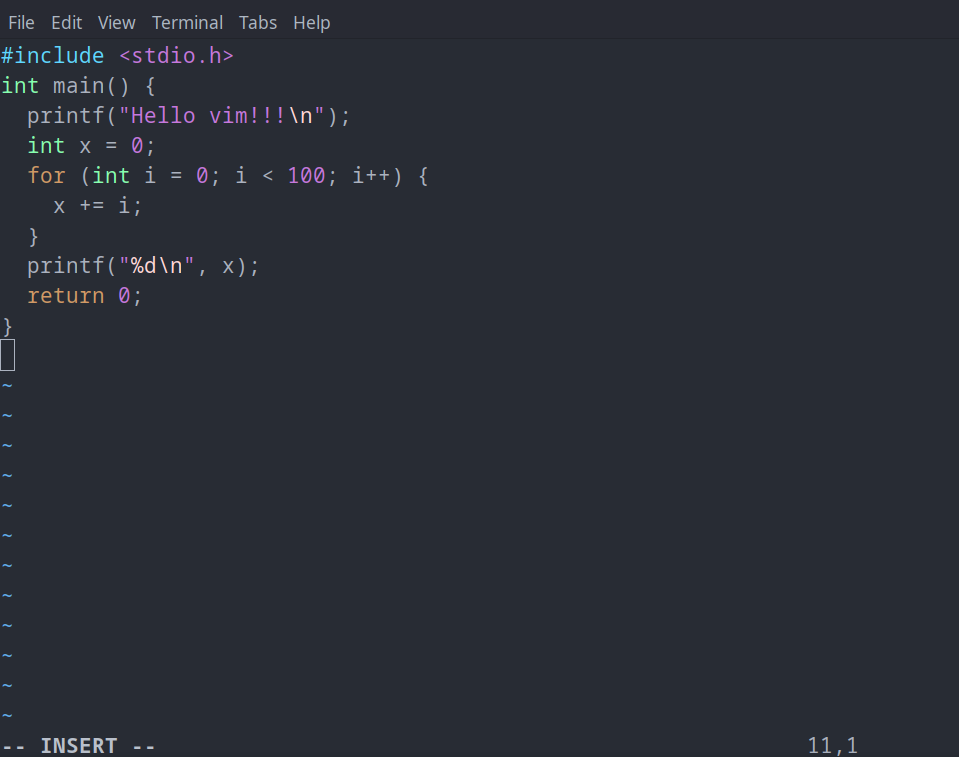
Now, we ask you to simulate the most basic functionality of a text editor: typing.
Given a operation sequence, please show us the final look on the terminal. (Suppose we started in "Insert" state in vim, that is, what we type will be treated as text and directly shows on the screen. For those who don't know the "Insert" state, try google for it or just ignore it and keeps reading the problem description~)
Input
Input consists of a single line, representing the operation sequence.
Below we explain the meaning of each character in the operation sequence:
- Normal latin characters (uppercase/lowercase English characters) are treated as character input. Whatever the character is, show it on the screen.
- The special operations starts with a "\" (without quotes), follow by some operation indication characters. Below we list out all possible special operations:
- "\n", user types Enter. Print a '\n' (new line character).
- "\b", user types a backspace. Remove the character right before the cursor(游標) (if there is any).
- "\l", move cursor left. If the cursor is at the beginning of current line, then go to the end of previous line (if exists).
- "\r", move cursor right. If the cursor is at the end of current line, then go to the beginning of the next line (if exists).
- "\s [x y]", change the terminal size. x and y are positive integers. There is only one space character ' ' between s and [, x and y.
Suppose the initial terminal size is 80*24. (x=80, y=24). x is the width of the terminal, means there can be at most x characters (including ' ') in a single row on the screen.
The final output is guaranteed to not exceed the size of the terminal. (Total rows on screen will be less than or equal to y)
The length of operation sequence won't exceed 105.
Output
Show the final look on the terminal.
Notice the width of the screen. If a line contains too many characters to fit into the width x, then you should print the remaining characters of this line on the following rows on screen.
For example :
t\b\bThis is the sample input\l\l\l\l\bI\r\r\r\r\n\s [10 20]
The first line will be “This is the sample Input\n”(without quotes).
But since the the terminal size is 10*20, the output should be as following(without quotes):
“This is th
e sample I
nput
“
For more information, please refer to Sample Input and Sample Output.