Description
Vim is an editor to create or edit a text file.
There are two modes in Vim. One is the command(normal) mode and another is the insert mode.
In the command mode, user can move around the file, delete text, etc.
In the insert mode, user can insert text.

It's OK that you don't know how to exit Vim :)
The following commands are only used in command mode:
- h: move the cursor left
- l: move the cursor right (this is lowercase L, not uppercase i)
- x: delete the character at the cursor
In command mode, Vim also support a number combines with the above commands.
Let's suppose n is a number:
- nh: move the cursor left n times
- nl: move the cursor right n times
- nx: delete n characters backward from the current cursor.
To enter insert mode from command mode, the following commands are used:
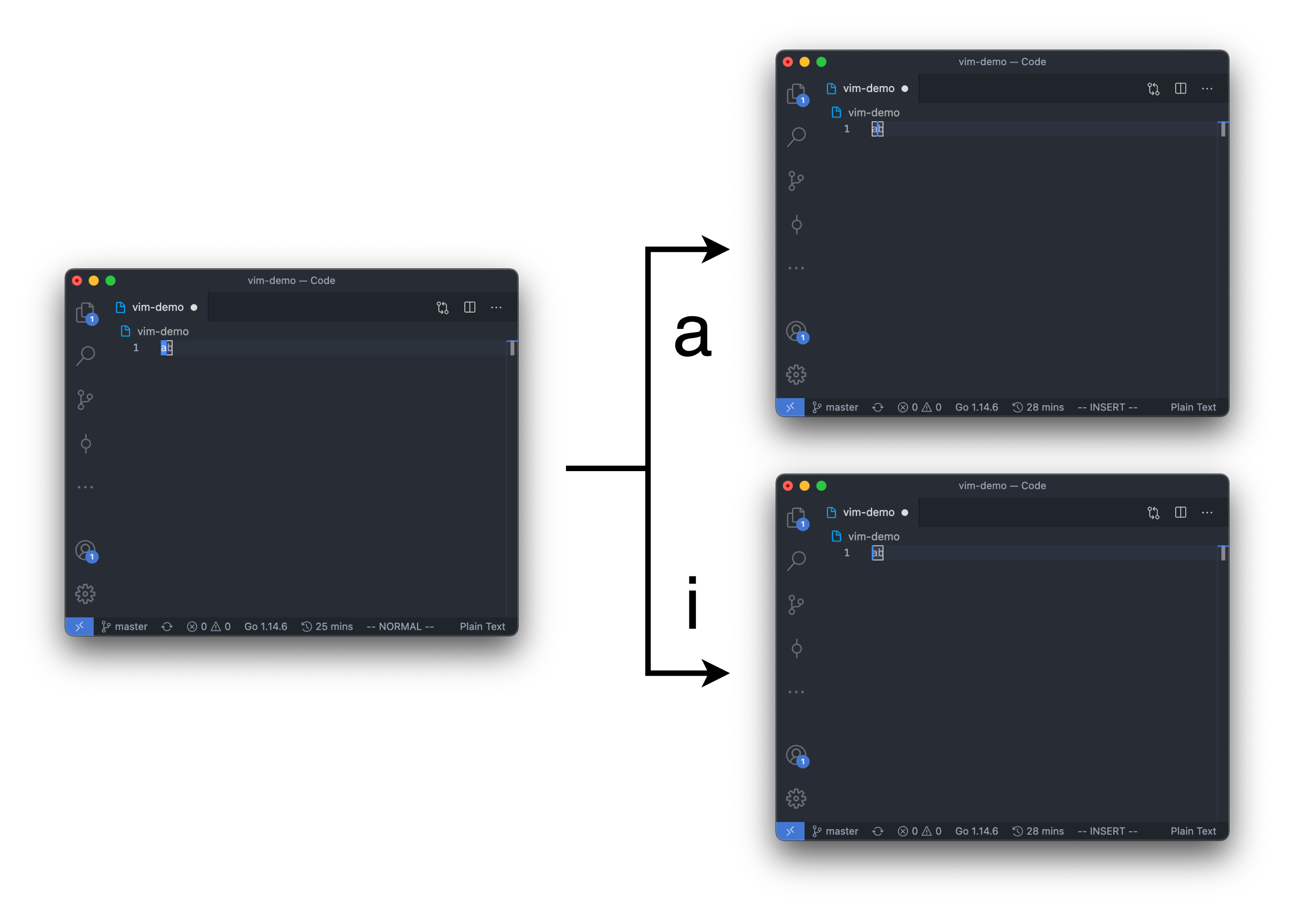
- a: enter insert mode after the current cursor
- A: enter insert mode at the end of the line
- i: enter insert mode before the current cursor
- I: enter insert mode at the beginning of the line (this is uppercase i, not lowercase L)
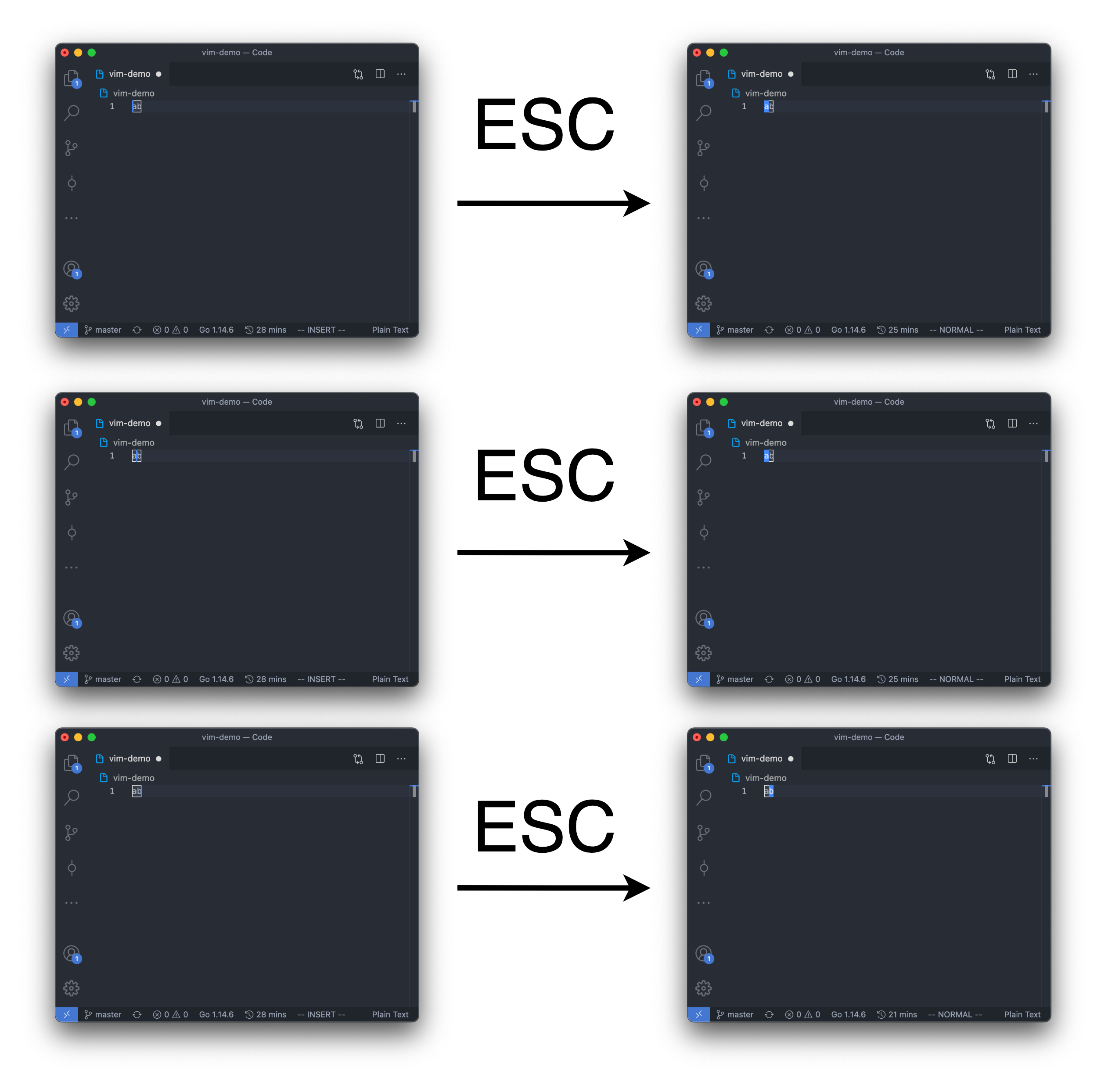
To enter command mode (from insert mode or command mode), we pressed ESC (escape) to do that.
In this problem, we used "ESC" to represents that the user entered the escape key.
At first, user is in the command mode,
and there is only 1 line in the Vim editor. (The line is empty)
Given the user input, output the text of the editor.
All test cases will end with ":wq" (without quotes) in command mode.
ouo.
Note that in command mode, the cursor can only be on the character if there is any.
So there will be 2 possible positions for the cursor in command mode if the text in the editor is "ab".
And of course, if there is no text in the editor, the cursor can only be at the beginning of the line.
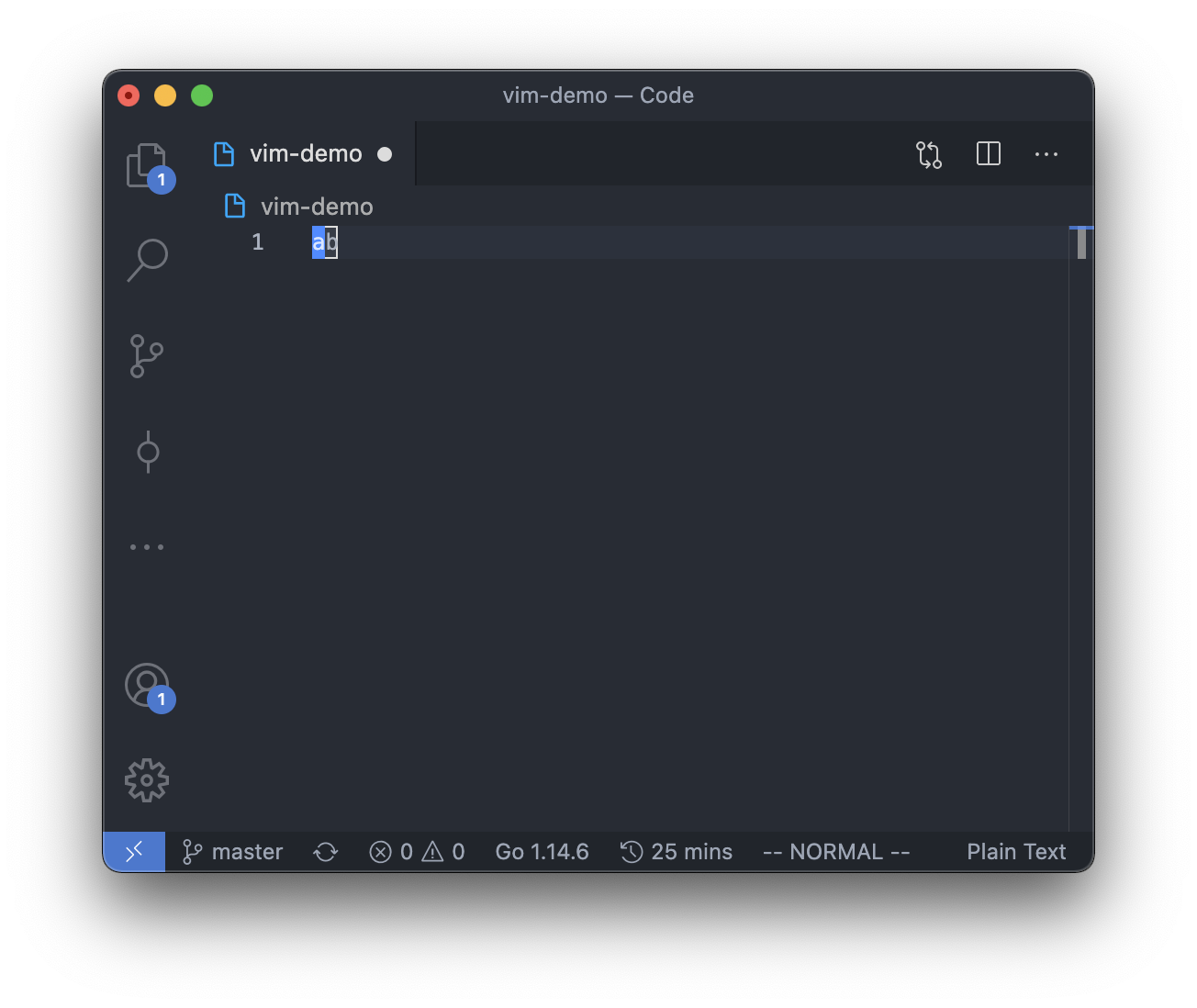
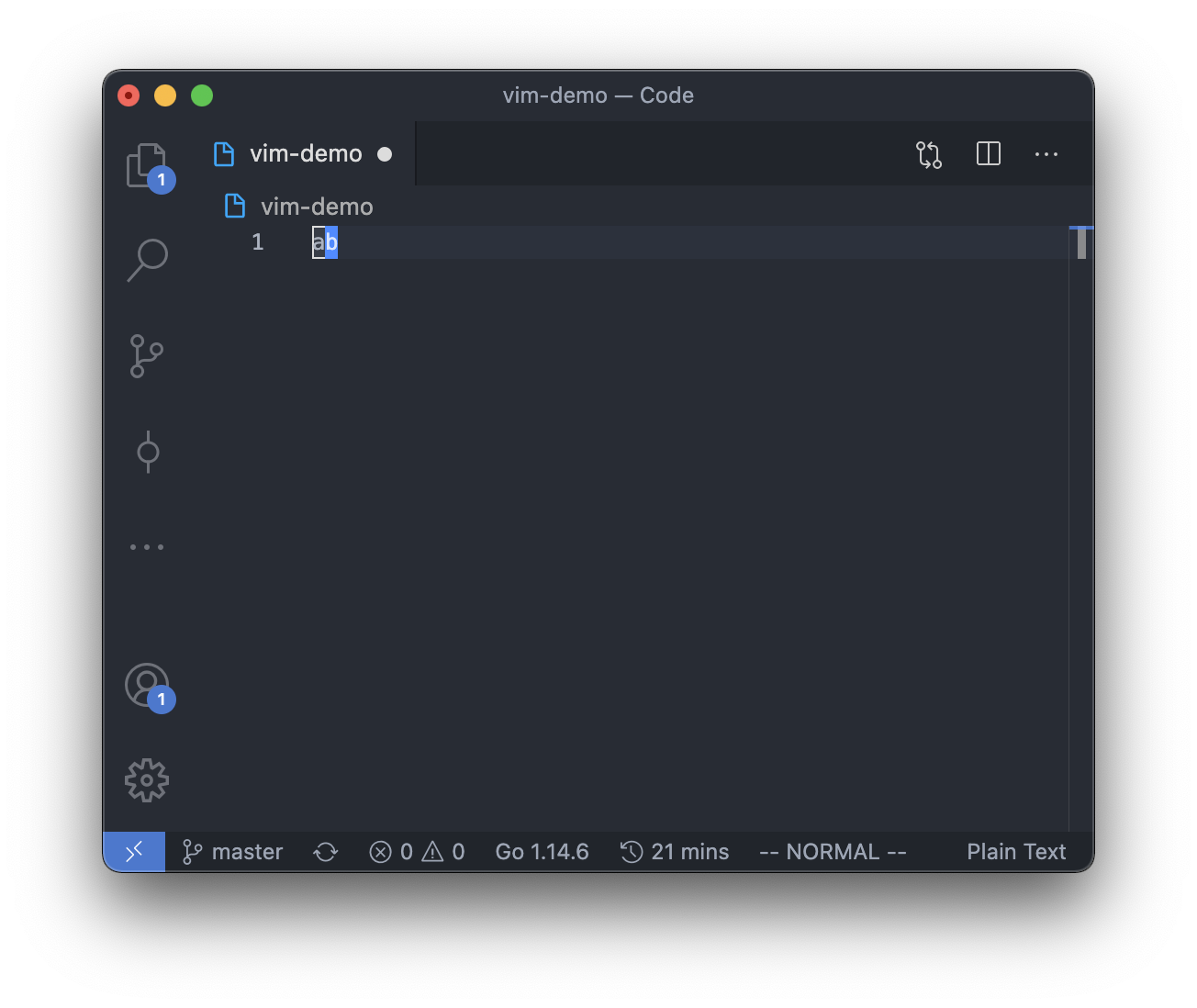
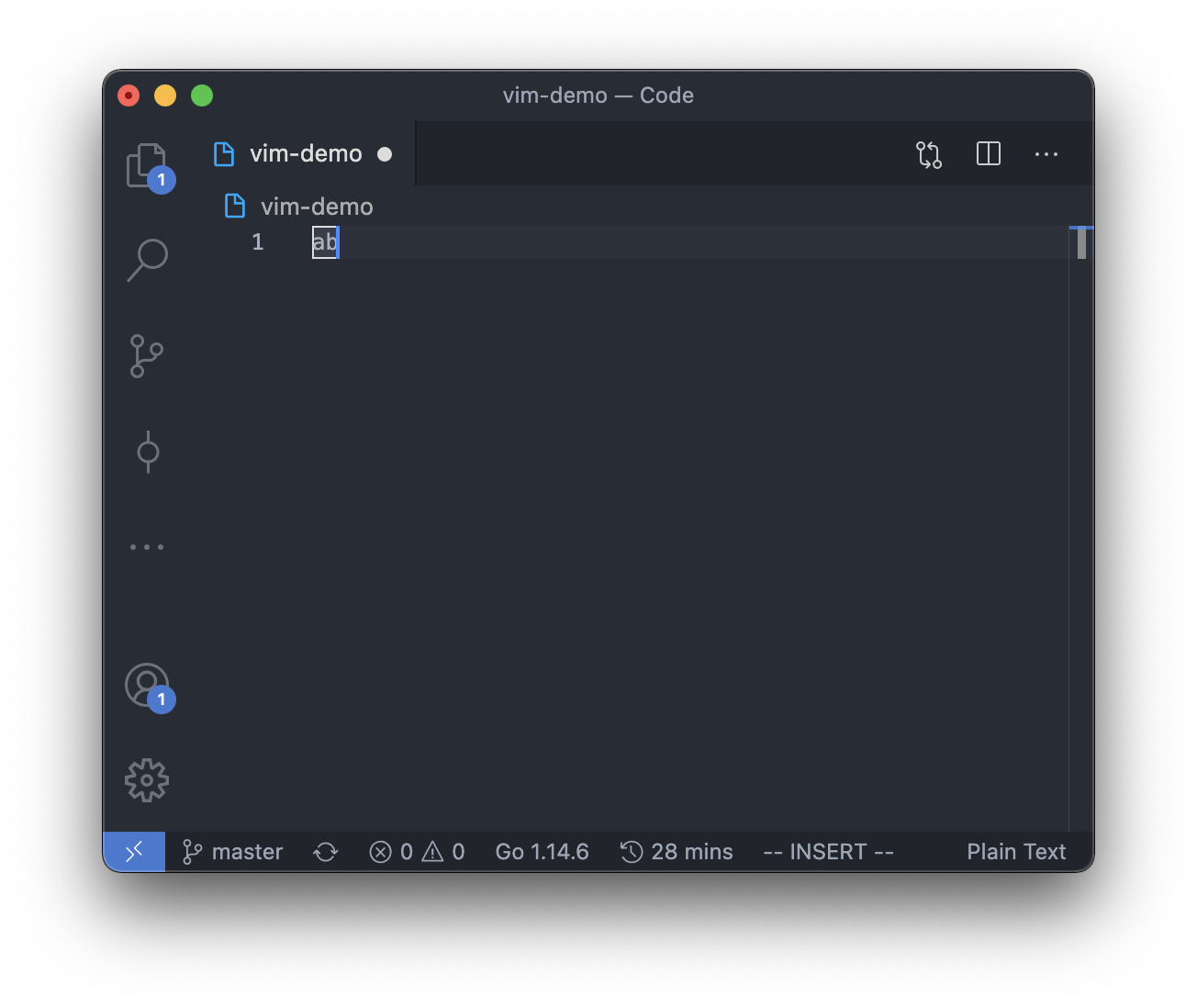
However, in insert mode, the cursor can be between, before or after any of the character,
so there will be 3 possible positions for the cursor in insert mode if the text in the editor is "ab".
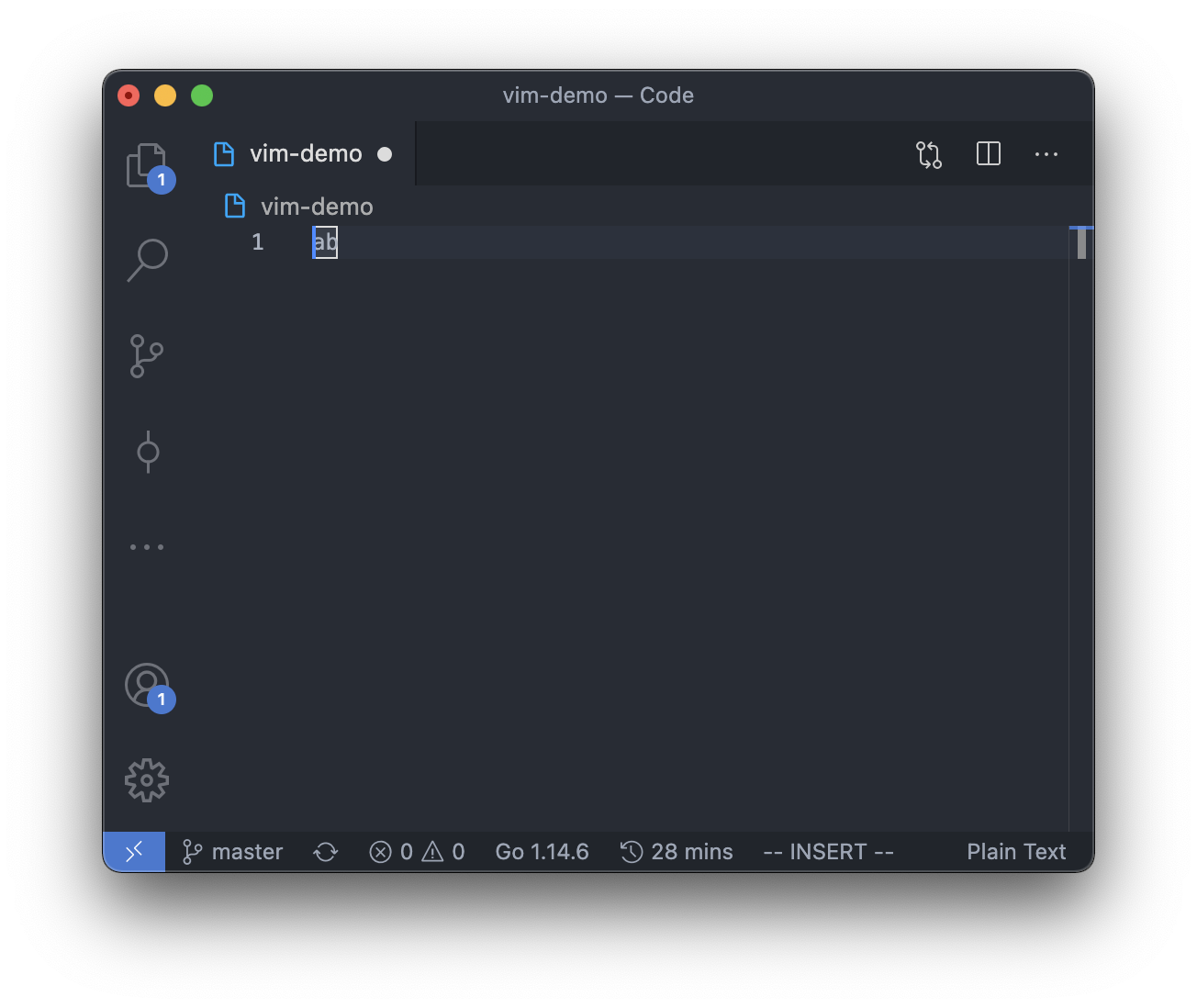
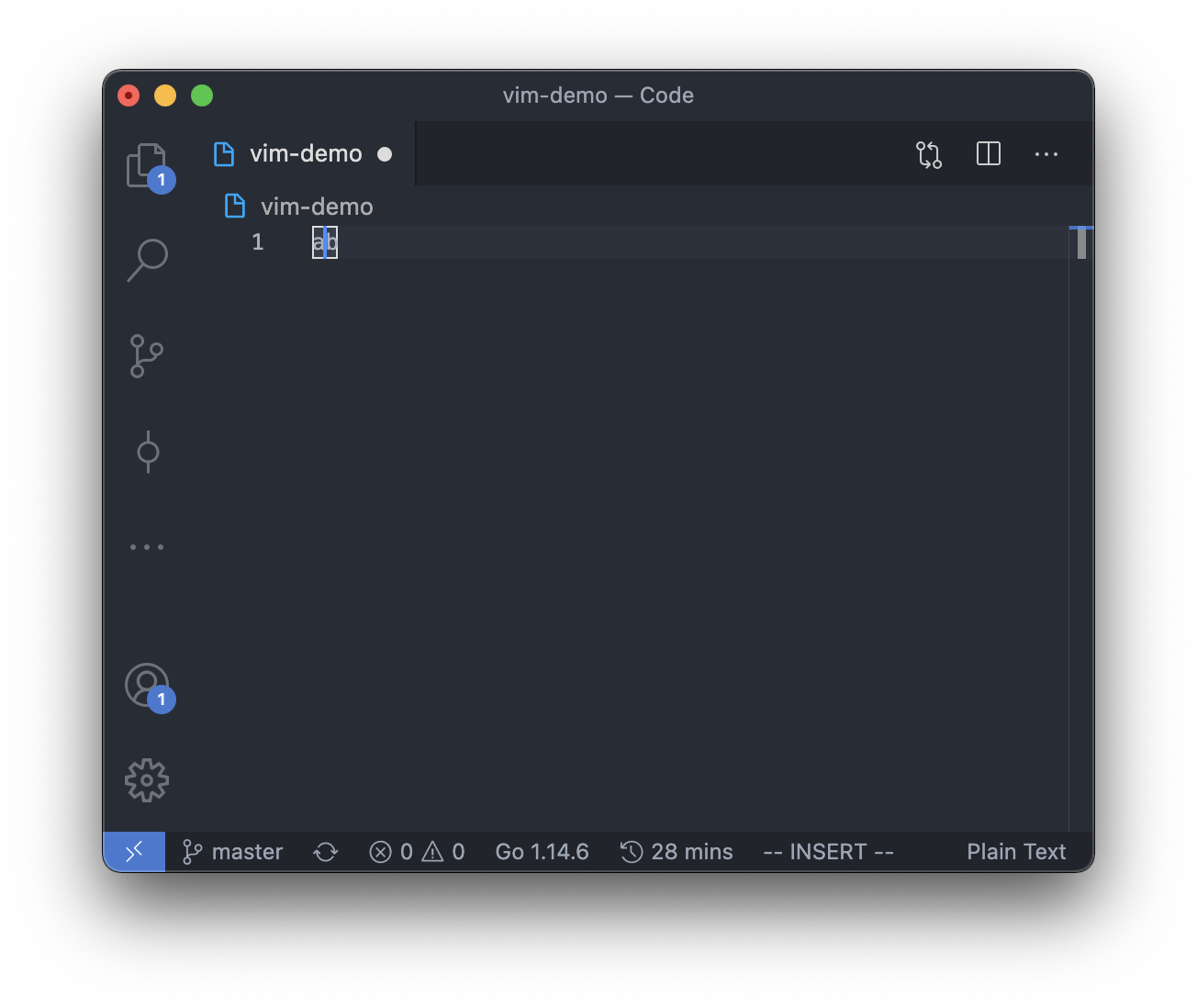
Note that for the difference between command 'a' and 'i':
Note that the cursor posotion from insert mode to normal mode is act as below:
Input
There are multiple test cases.
For each test case, there is only 1 line.
The line contains with a string S, represents the user input.
It is guaranteed that:
- There will be at most 10 test cases in each test file.
- 1 <= |S| <= 200
- In user mode, user only entered lowercase letter
- S always end with ":wq" (without quotes) and only end in command mode
- For command nh, nl and nx, 2 <= n <= 1000
- All input data are valid
Output
For each test case, output the text in the one line Vim editor,
with a newline character at the end.
Note that the answer may be an empty string.