Description
If you have read problem "13083 - Let's build a Vim editor" in Practice Final,
then you only need to read the bolded words,
since the rest are exactly same.
Vim is an editor to create or edit a text file.
There are two modes in Vim. One is the command(normal) mode and another is the insert mode.
In the command mode, user can move around the file, delete text, etc.
In the insert mode, user can insert text.

It's OK that you don't know how to exit Vim :)
The following commands are only used in command mode:
- h: move the cursor left
- l: move the cursor right (this is lowercase L, not uppercase i)
- x: delete the character at the cursor
- j: move the cursor down
- k: move the cursor up
In command mode, Vim also support a number combines with the above commands.
Let's suppose n is a number:
- nh: move the cursor left n times
- nl: move the cursor right n times
- nx: delete n characters backward from the current cursor.
- nj: move the cursor down n times
- nk: move the cursor up n times
To enter insert mode from command mode, the following commands are used:
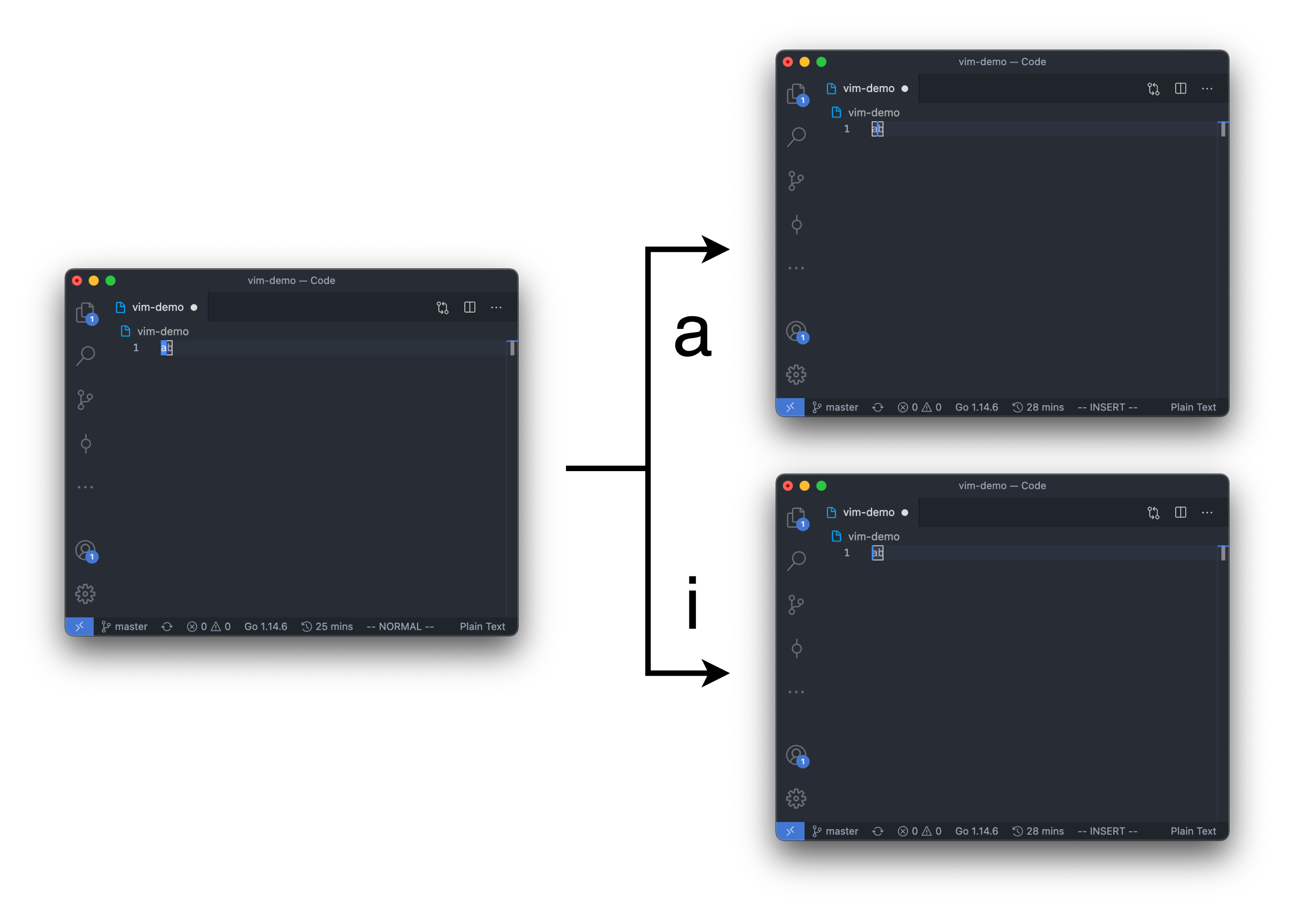
- a: enter insert mode after the current cursor
- A: enter insert mode at the end of the line
- i: enter insert mode before the current cursor
- I: enter insert mode at the beginning of the line (this is uppercase i, not lowercase L)
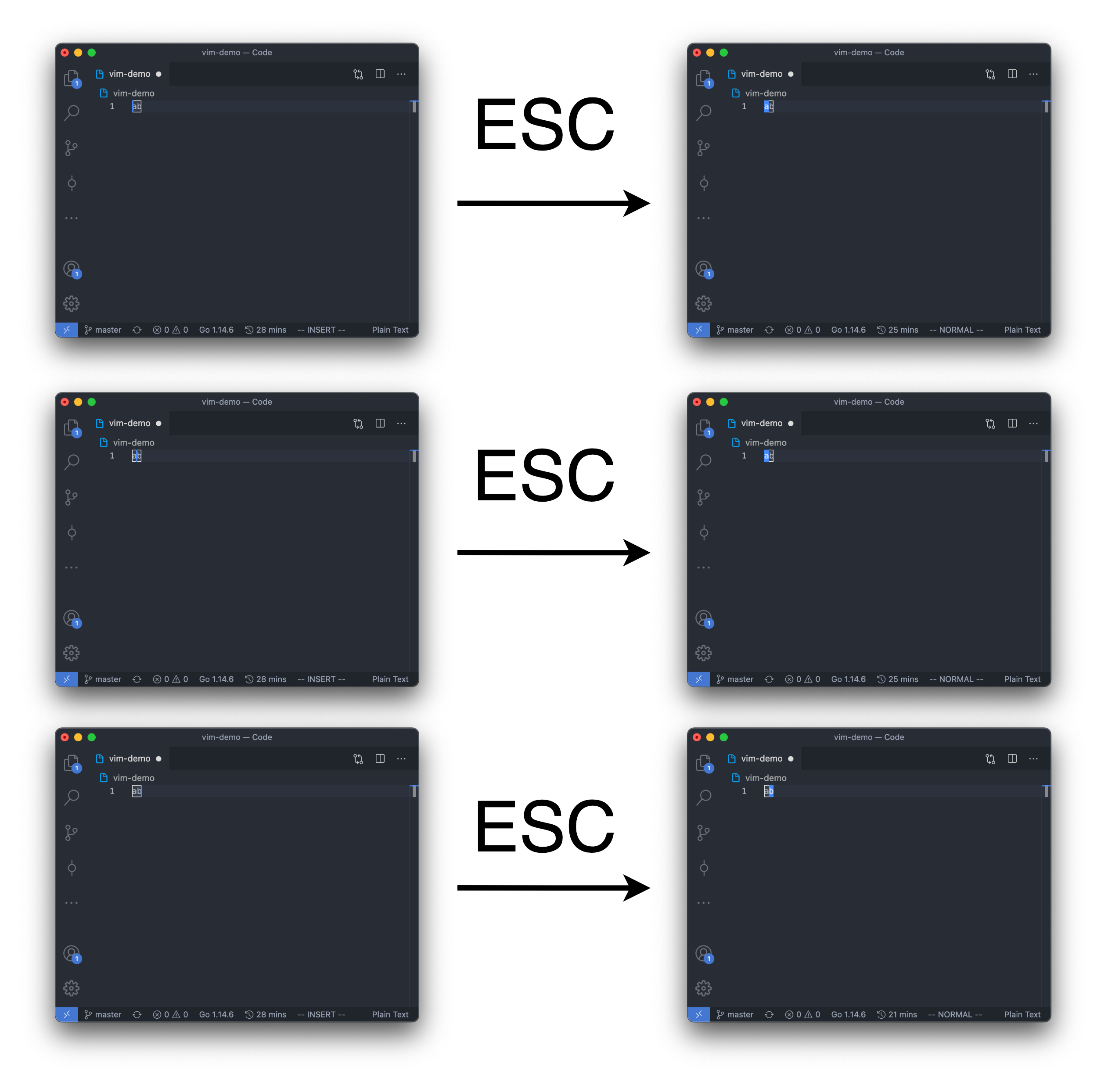
To enter command mode (from insert mode or command mode), we pressed ESC (escape) to do that.
In this problem, we used "ESC" to represents that the user entered the escape key.
Vim also support repeating insert characters.
Let's suppose n is a number:
- na: enter insert mode after the current cursor
- nA: enter insert mode at the end of the line
- ni: enter insert mode before the current cursor
- nI: enter insert mode at the beginning of the line (this is uppercase i, not lowercase L)
After insert 0 or many characters in the insert mode,
as soon as the ESC is pressed (backing to command mode),
the Vim editor will automatically repeat the characters you insert n times.
For example, from starting from command mode,
"4AabcESC" will insert 4 "abc" at the end of the line.
At first, user is in the command mode,
and there are 1000 lines in the Vim editor. (Lines are already created, but all lines are empty)
Given the user input, output the text of the editor.
All test cases will end with ":wq" (without quotes) in command mode.
ouo.
Note that in command mode, the cursor can only be on the character if there is any.
So there will be 2 possible positions for the cursor in command mode if the text in the editor is "ab".
And of course, if there is no text in the editor, the cursor can only be at the beginning of the line.
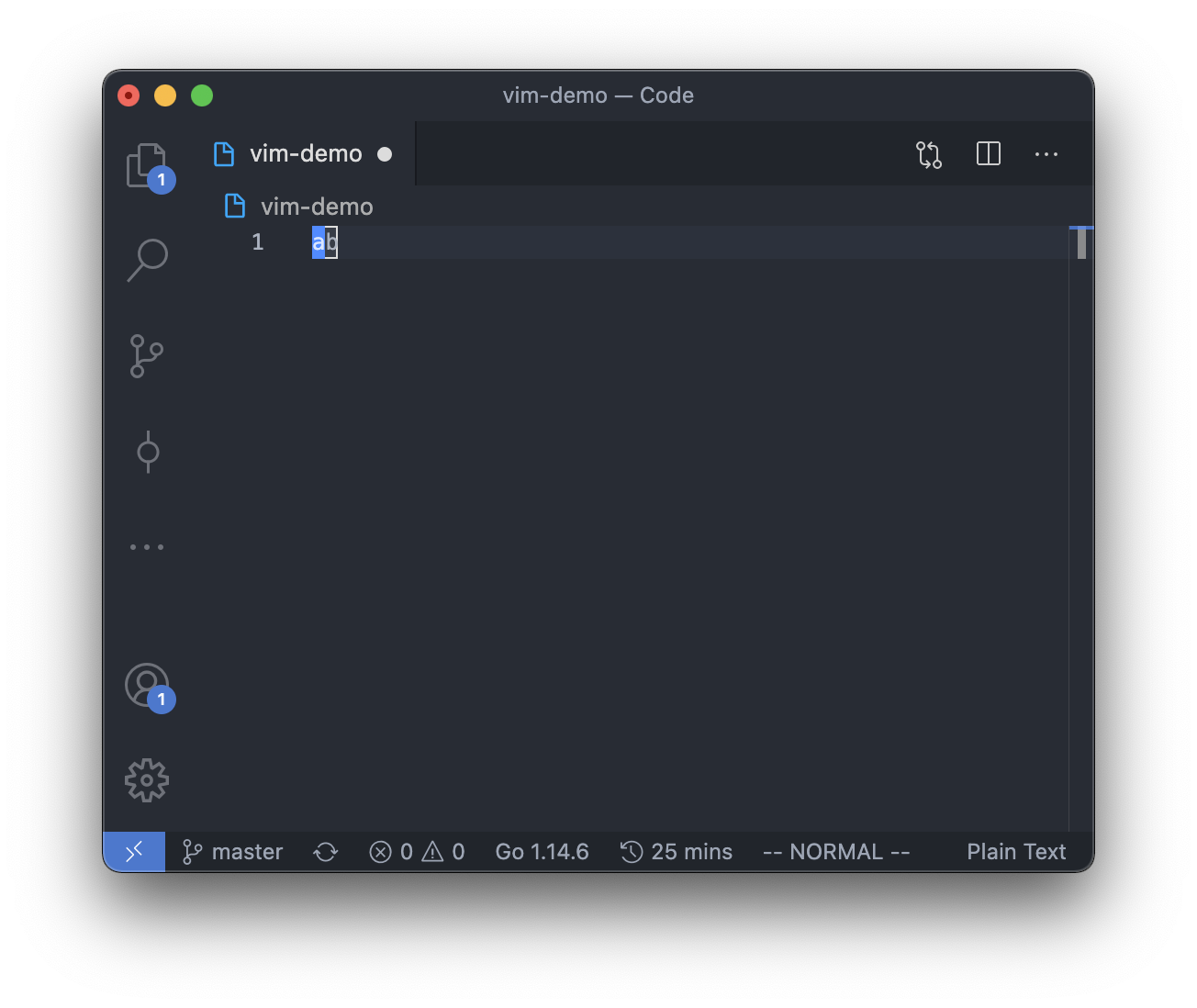
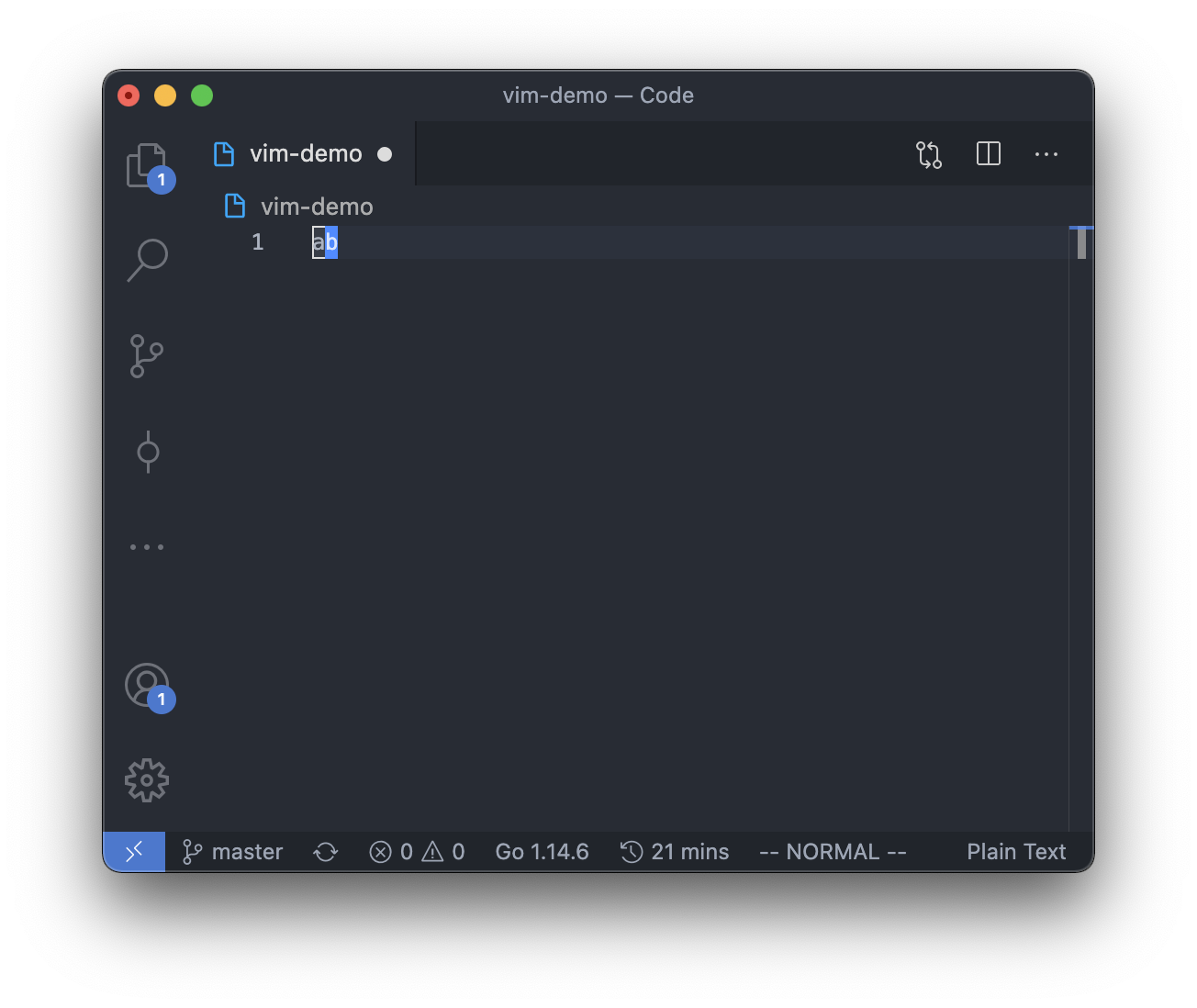
However, in insert mode, the cursor can be between, before or after any of the character,
so there will be 3 possible positions for the cursor in insert mode if the text in the editor is "ab".
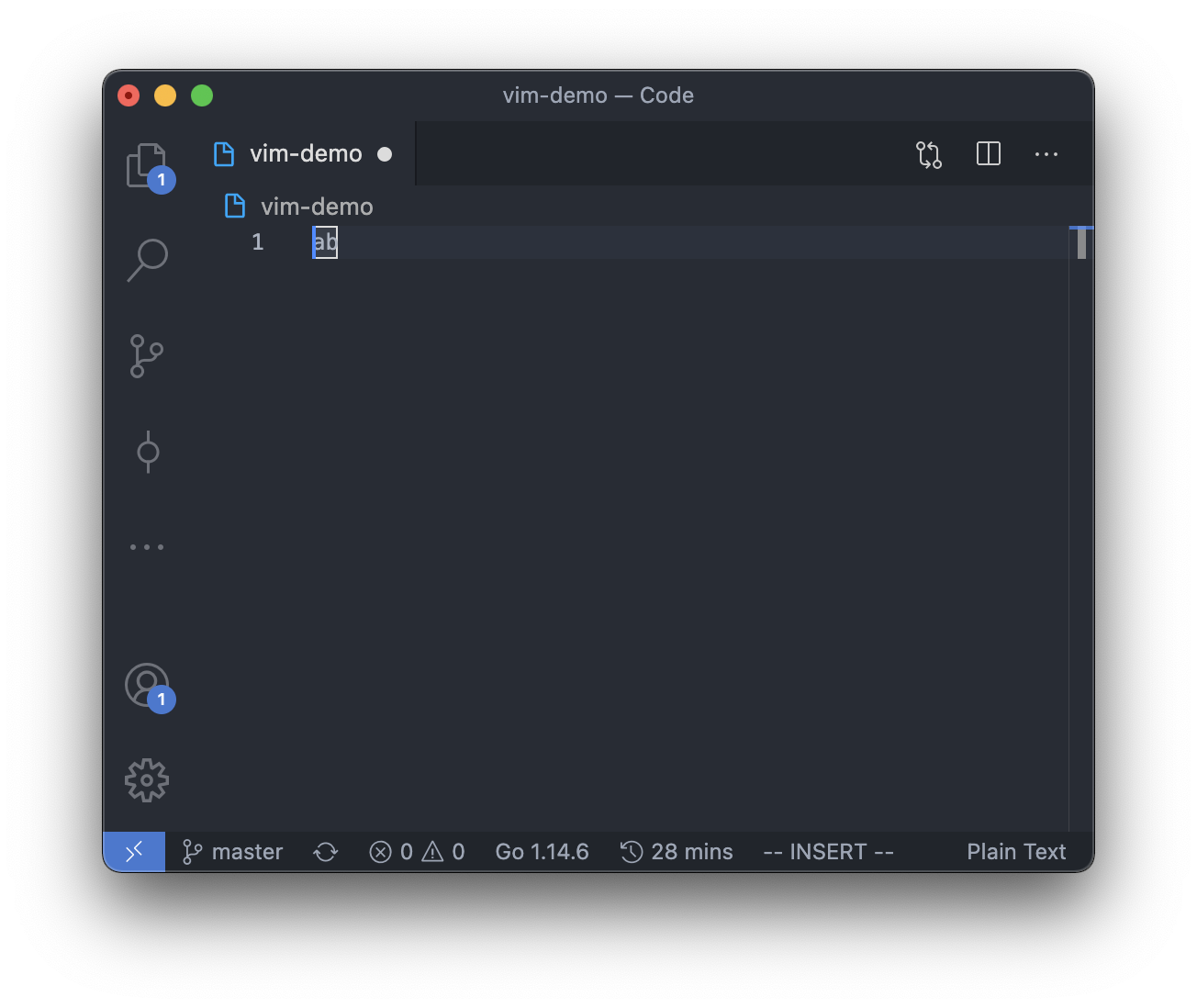
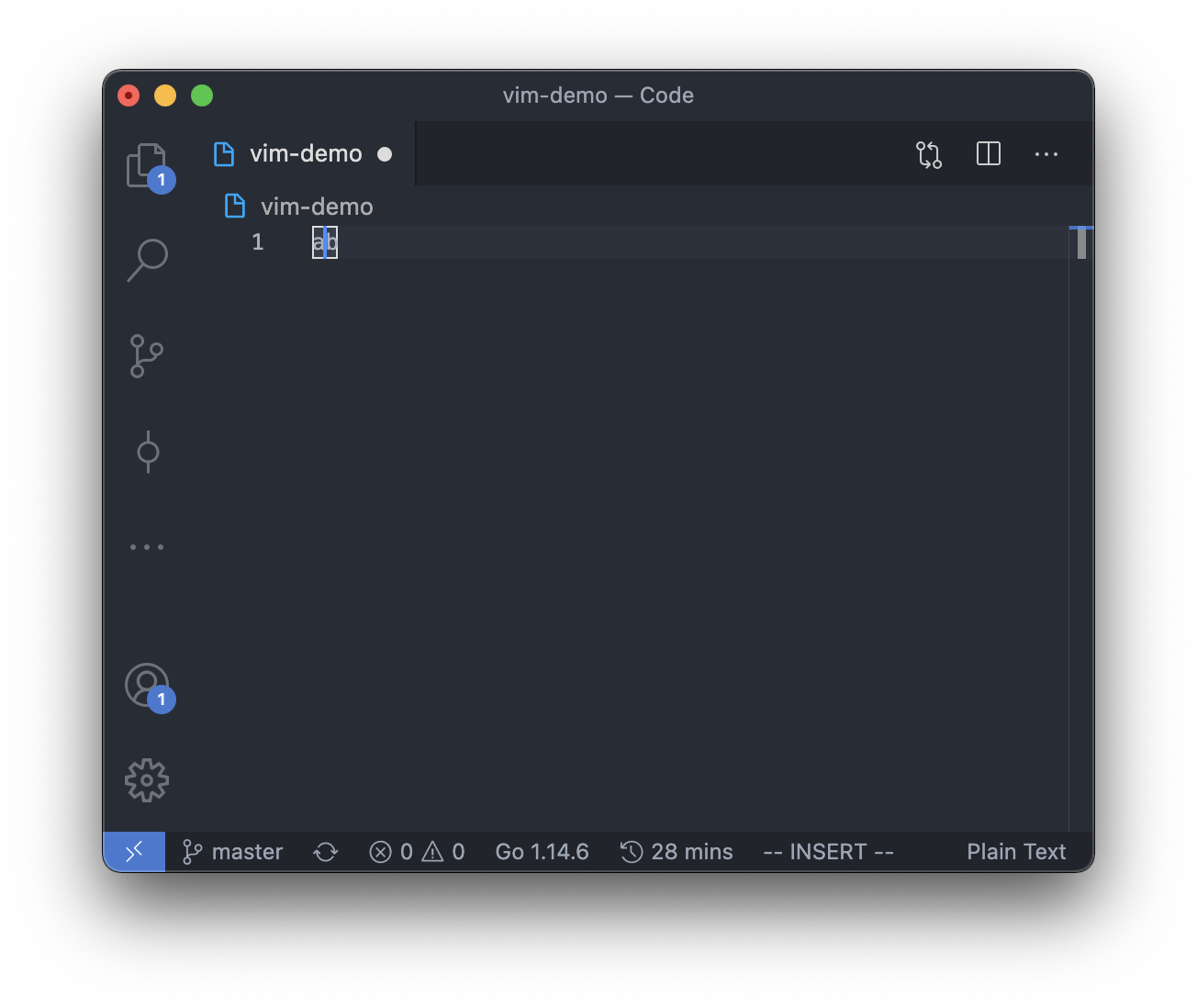
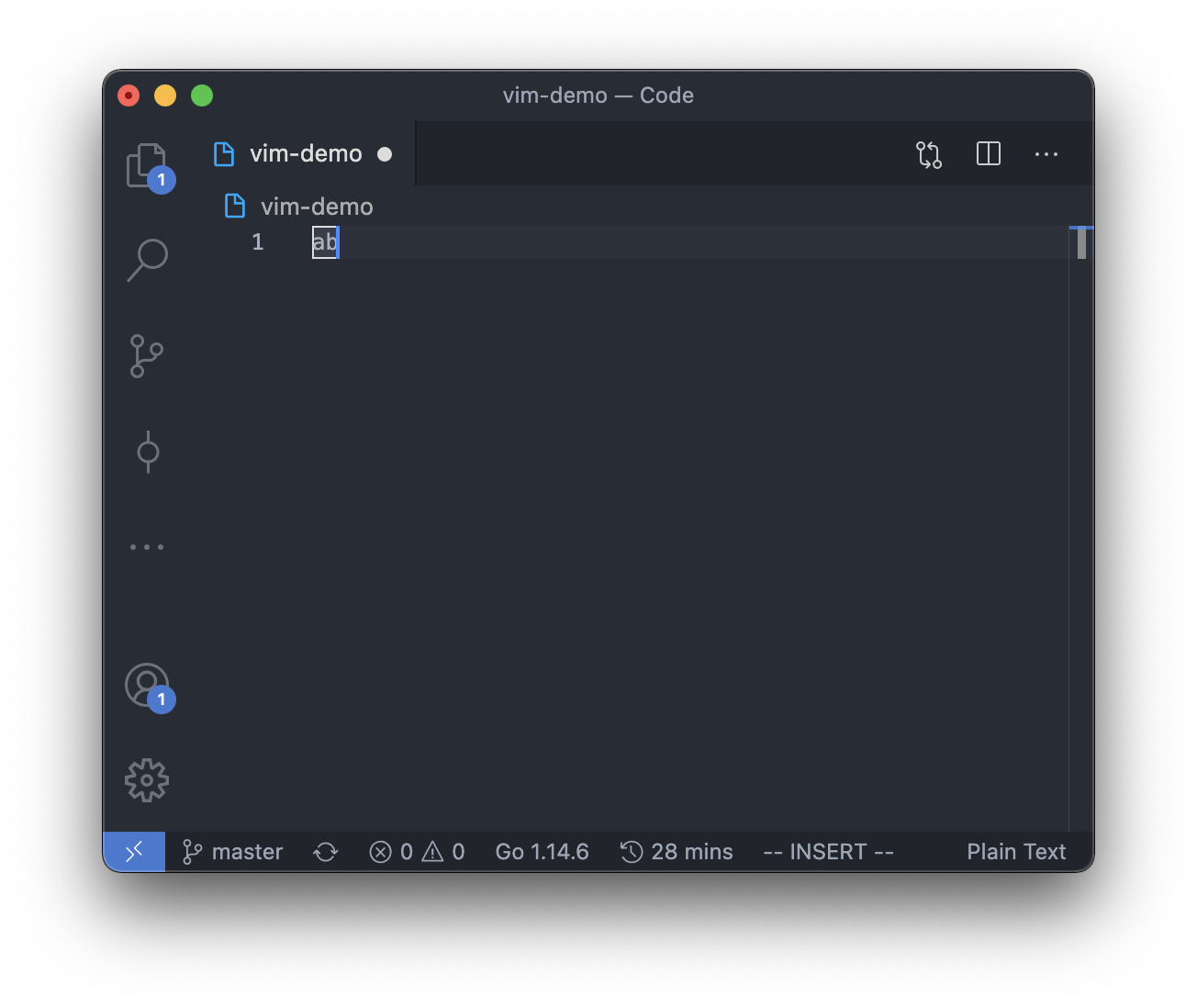
Note that for the difference between command 'a' and 'i':
Note that the cursor position from insert mode to normal mode is act as below:
Note that for commands j, k, nj, nk:
At the time user entered command j, k, nj or nk,
if the cursor is at the 5th character(column) of the line(row),
then some continuous j, k, nj, nk commands will remains the cursor at the 5th character of the line, too, if exists,
else, if not exists, the cursor will be at the end of the line(at the last character if the line is not empty).
And if any commands except j, k, nj, nk are entered,
then the next j, k, nj, nk command will not be continuous with the current j, k, nj, nk command.
So the j and k in commands "jhk" are not continuous,
but ESC is not a command, so the j and k in commands "jESCk" are continuous.
Please see the example below.
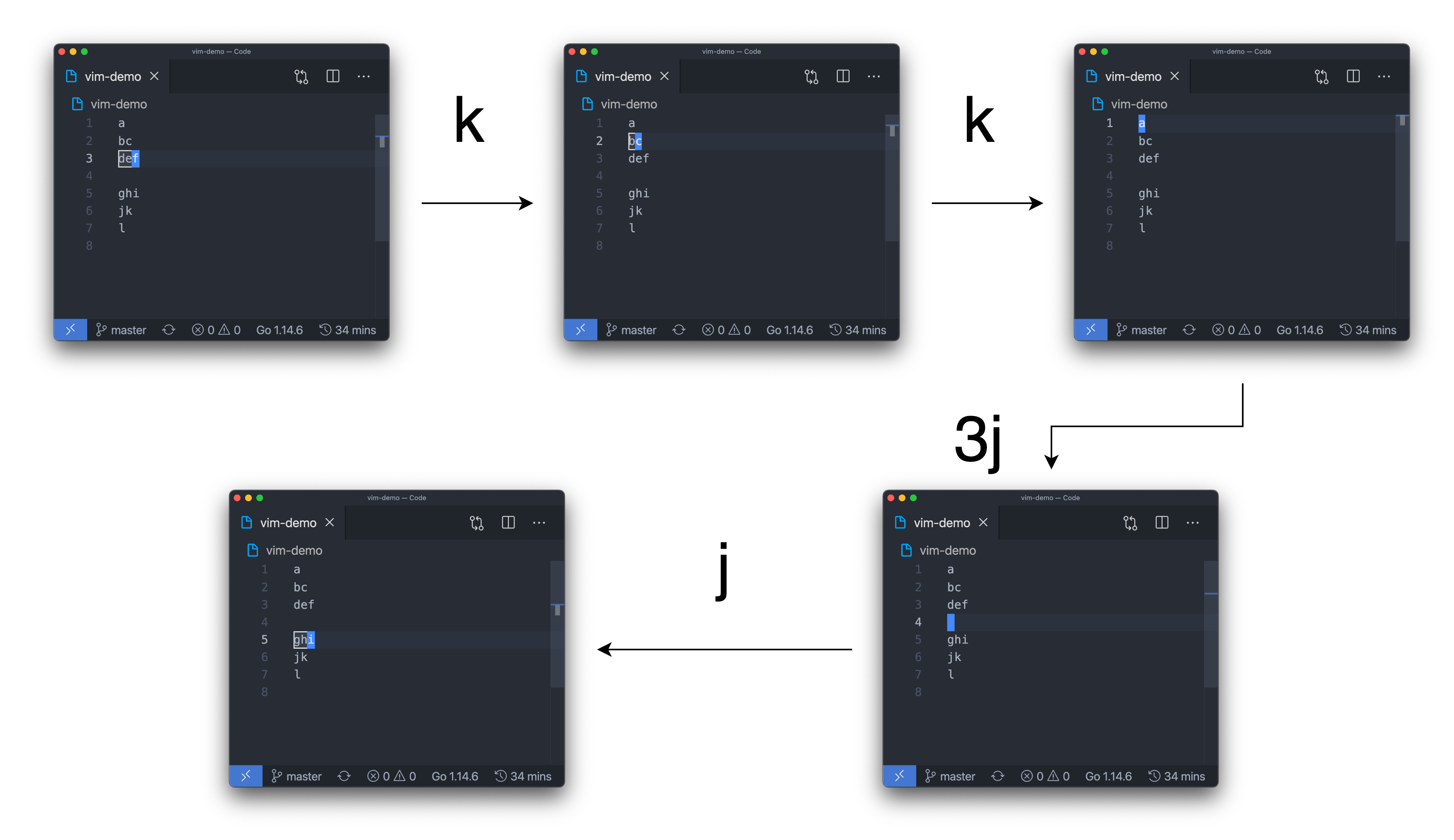
You should make sure that the cursor is in line 1 to line 1000.
So entered command j in when the cursor is at line 1000, or entered command k when the cursor is at line 0, will take no effect.
Note that some behavior may be different with the original Vim editor.
But you should follow the description instead of the behavior of the Vim editor.
Hint:
1. You can first finish your code by testcases, so that it is easier to debug and can get some points first.
2. Use malloc and free to dynamically allocate your array, or you may get MLE.
3. Any STL library is not allowed to used.
Input
The first line contains an integer T, represents that there are T testcases.
For each test case, there is only 1 line.
The line contains with a string S, represents the user input.
It is guaranteed that for all testcases:
- 1 <= T <= 25
- 1 <= |S| <= 2000
- In user mode, user only entered lowercase letters
- S always end with ":wq" (without quotes) and only end in command mode
- For command nh, nl, nx, nj, nk, ni, nI, nA, na, 2 <= n <= 100000
- All input data are valid
- At most 1.5 * 10^7 characters are inserted in each test case
For testcase #1, #2: No command j, k, nj, nk, na, nA, ni, nI. That is, same as problem #13083.
For testcase #3: No command nA, na, nI, ni.
For testcase #4, #5: No command j, k, nj, nk.
Output
For each testcase,
The first line, output "Case #{T}:", where {T} is the number of testcase, start from 1.
Start from the second line, output the result of the editor.
For outputing the result of the editor,
from line 1 to line 1000 of the editor,
if the line is not empty,
output "{i}: {line[i]}" where i is the number of line and line[i] is the result of the editor on line i.